How we shifted Pipelines from a developer-centric feature into a configurable product experience.
Design-to-code pipelines were highly flexible, but even simple export customizations required users to fork and maintain custom exporters.
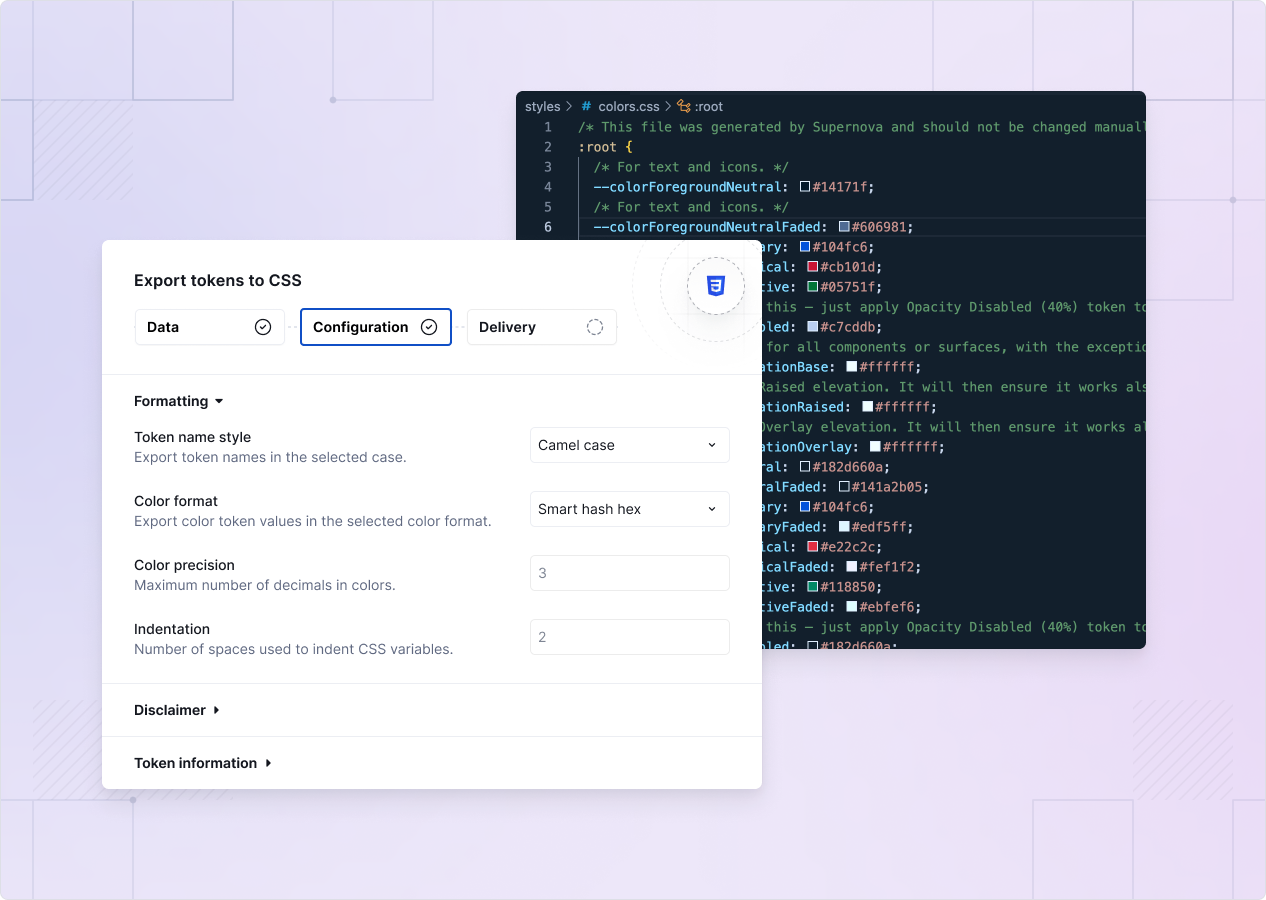
Changes like naming conventions or color formats could require custom code and ongoing maintenance.
What should have been configuration had become a developer workflow, increasing onboarding friction and long-term maintenance for both customers and Supernova.
Users were unable to easily customize exports without technical work.
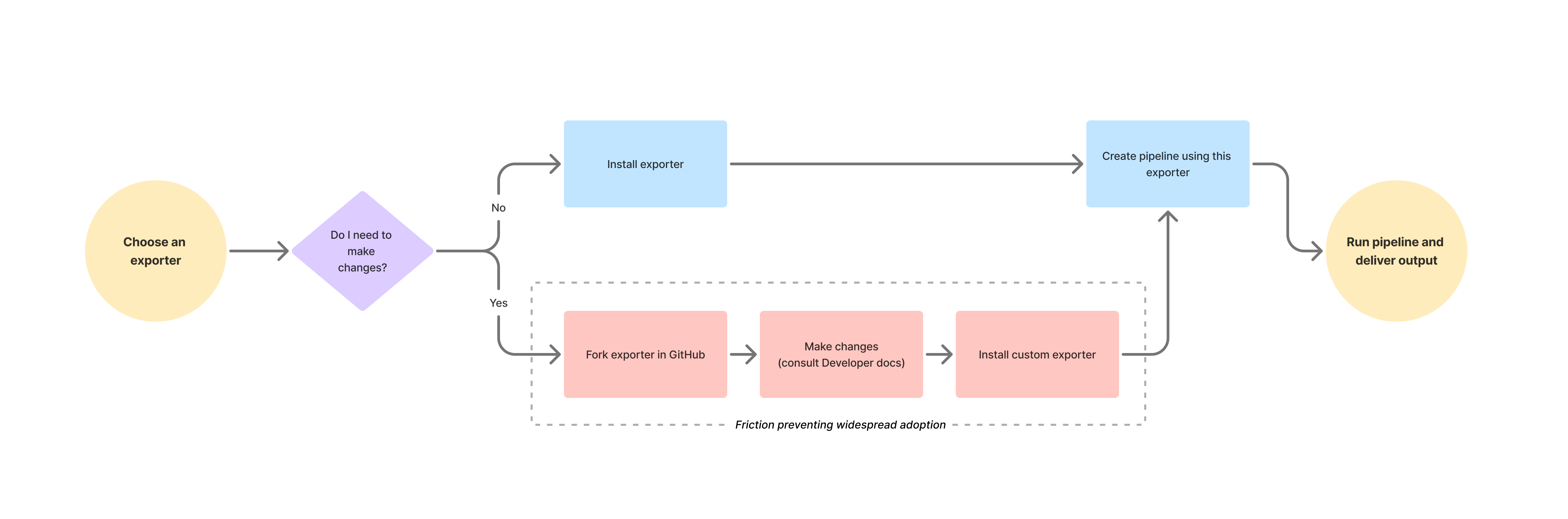
Most users weren’t creating entirely new exporters. They were making small adjustments to existing ones.
This led to a shift in the product model:
Configuration instead of customization.
The goal was to make common tasks easier without taking away the flexibility of the underlying system.
The original workflow reflected the underlying system architecture more than the user’s mental model.
I made the following changes through several iterations:
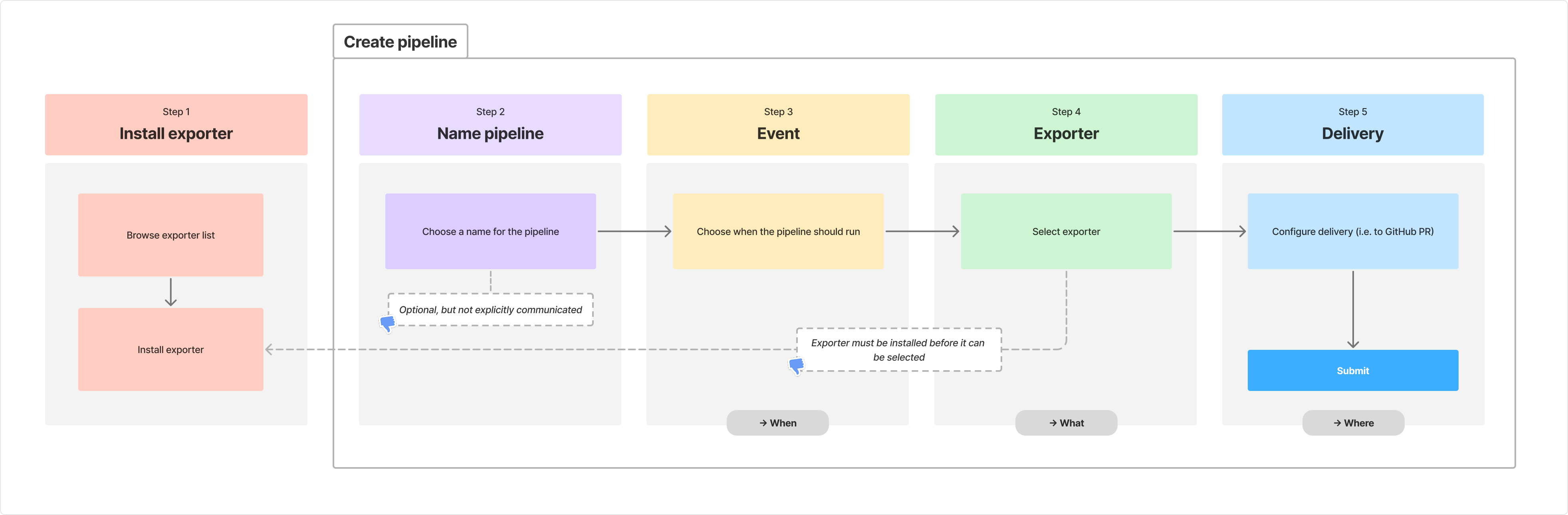
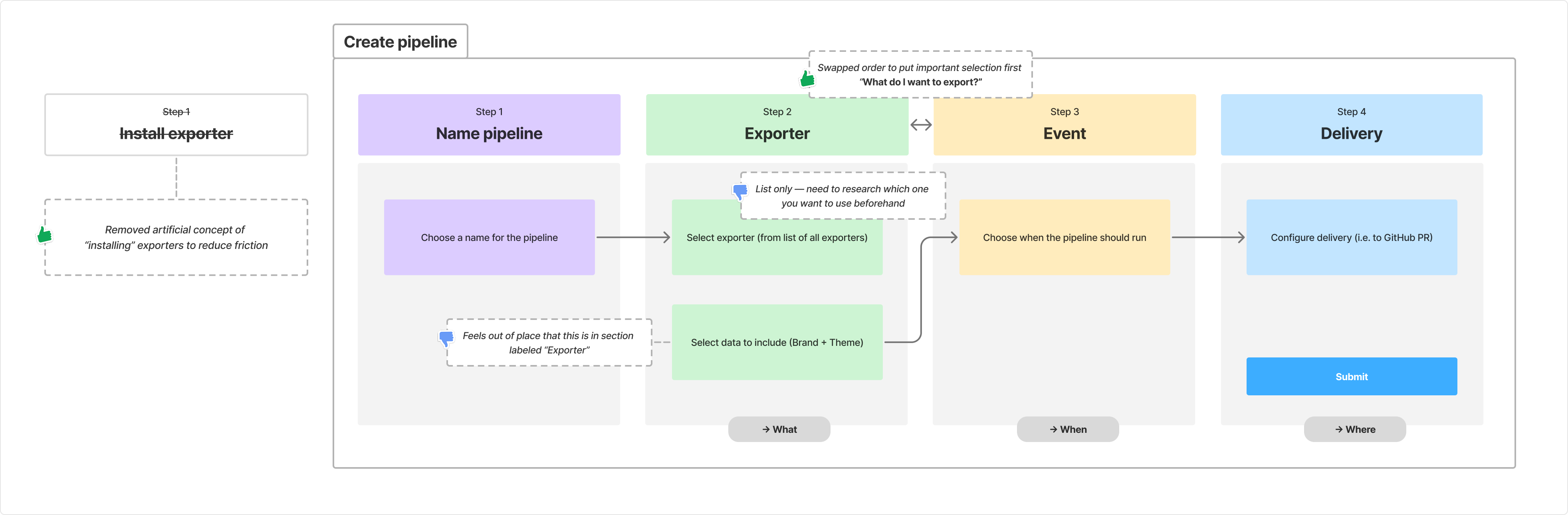
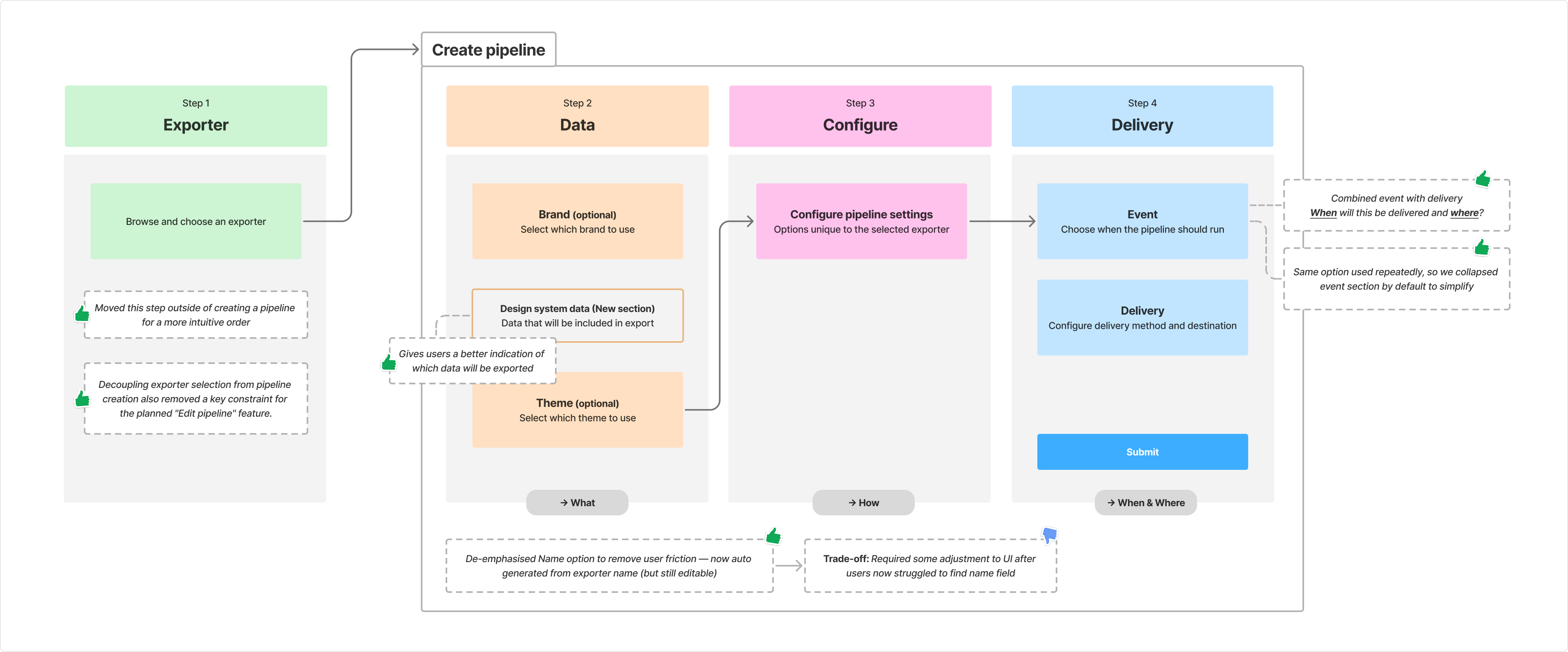
The most common exporter modifications became configurable product features rather than requiring custom code.
This reduced maintenance for most customers, while preserving custom exporters for advanced use cases.
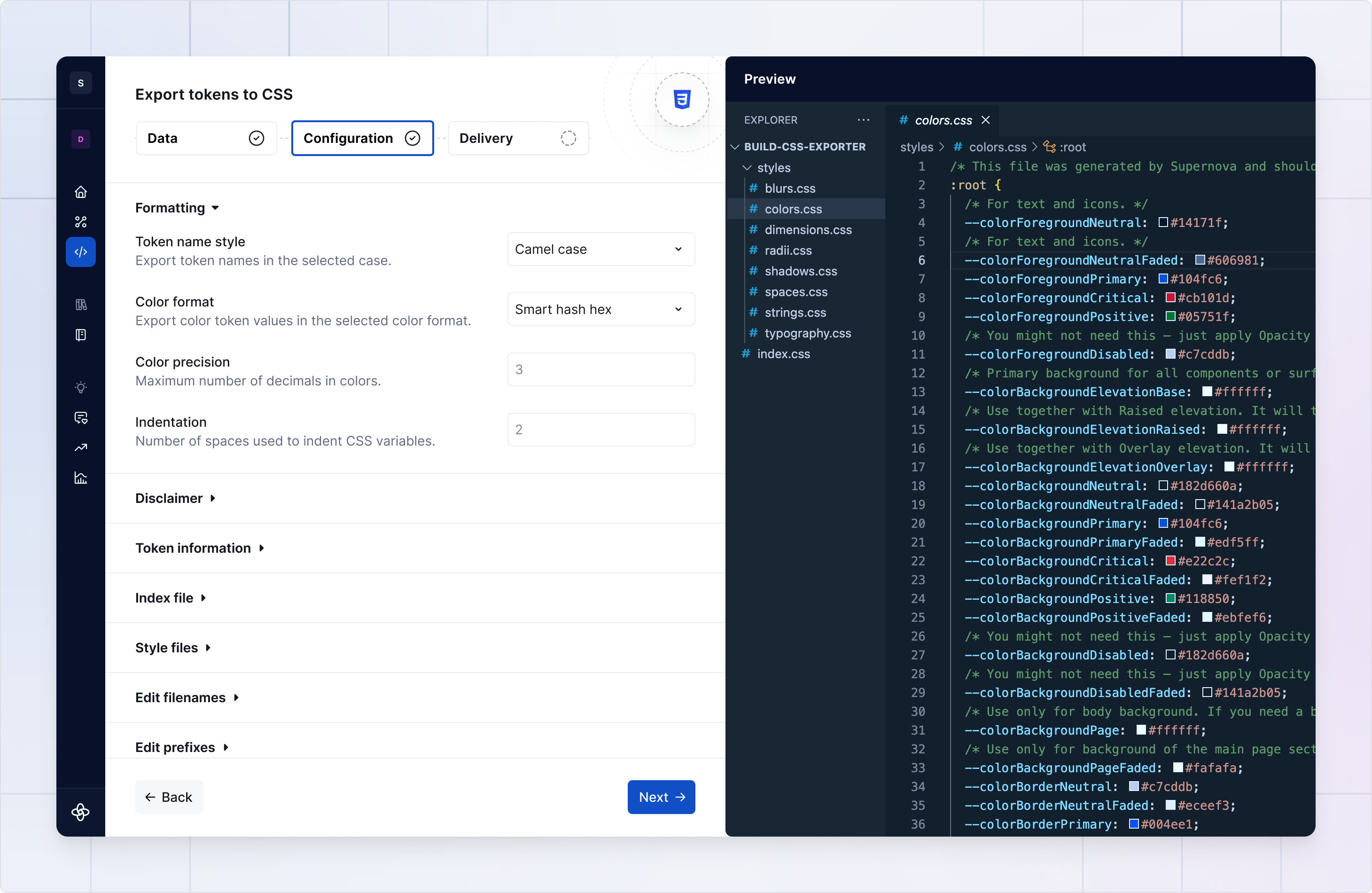
I also designed preview functionality for exporters, allowing users to inspect generated code or assets before ever running a pipeline.
Past UX decisions (selecting the exporter during pipeline creation) combined with external platform constraints previously required us to block users from editing a pipeline once it was created.
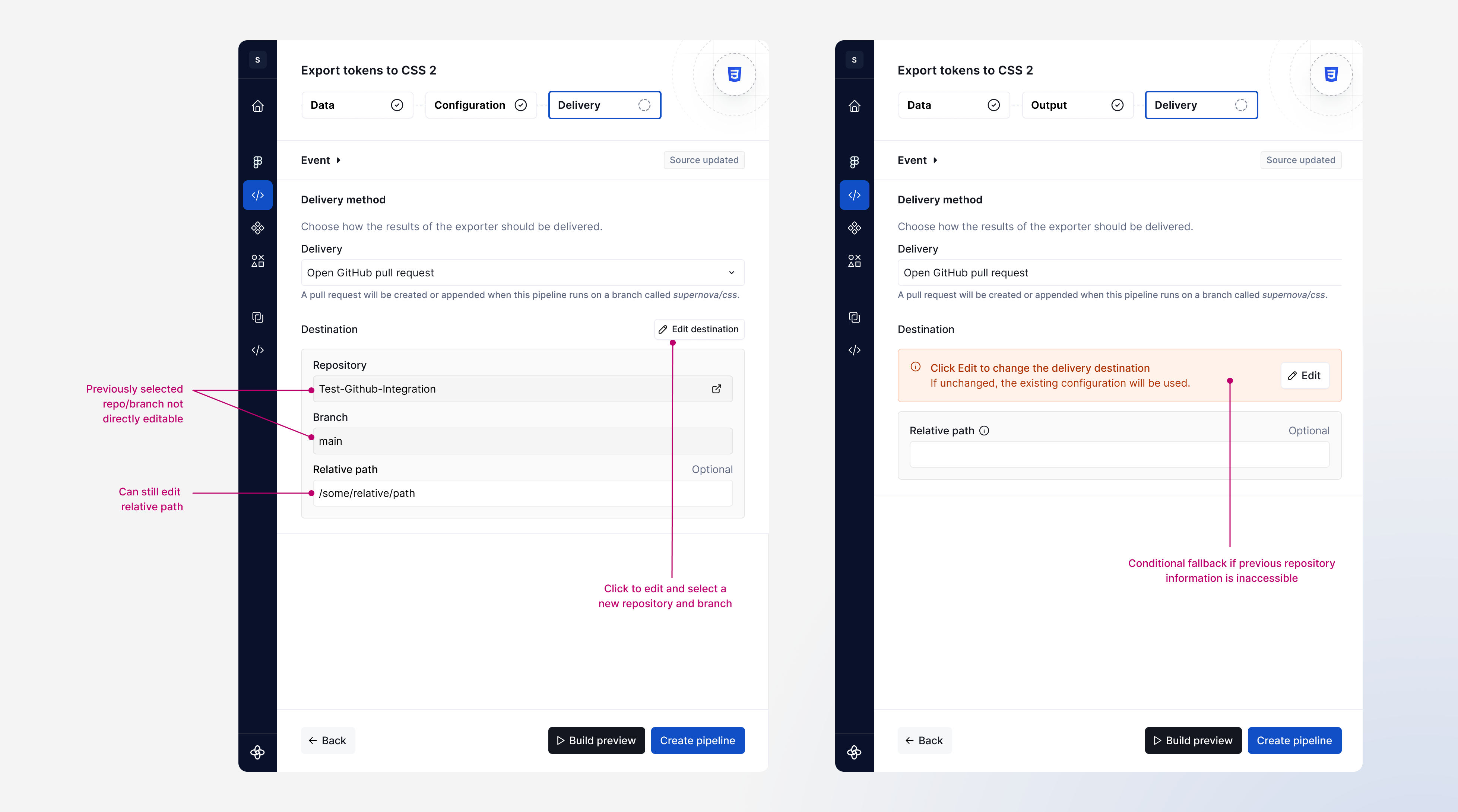
During this transition, we reworked the delivery step to allow for editing a previously added repository in the event that it can no longer be fetched.
This was long overdue, but it was also crucial to allow users to tweak configuration without having to create and configure a new pipeline each time.
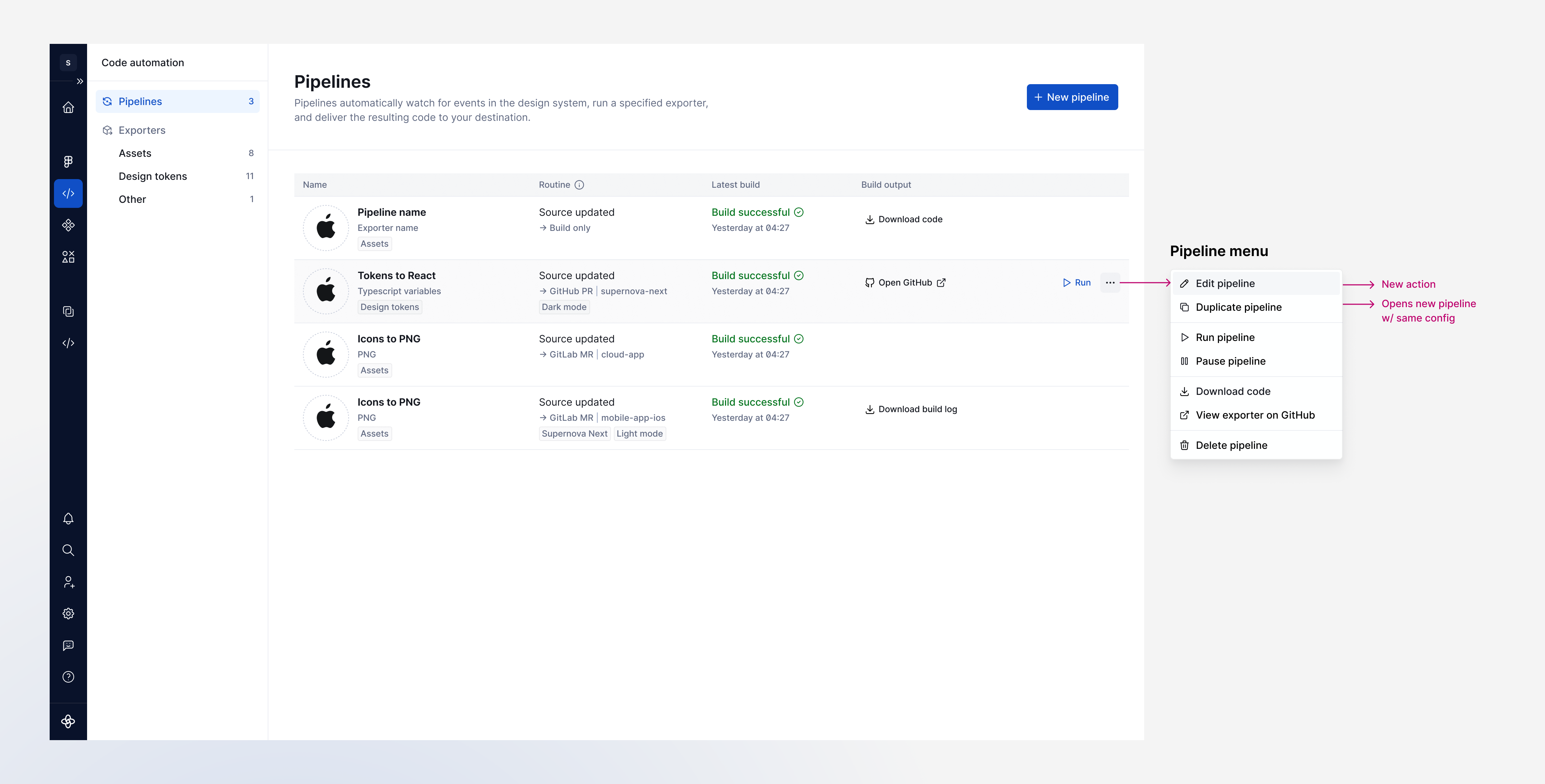
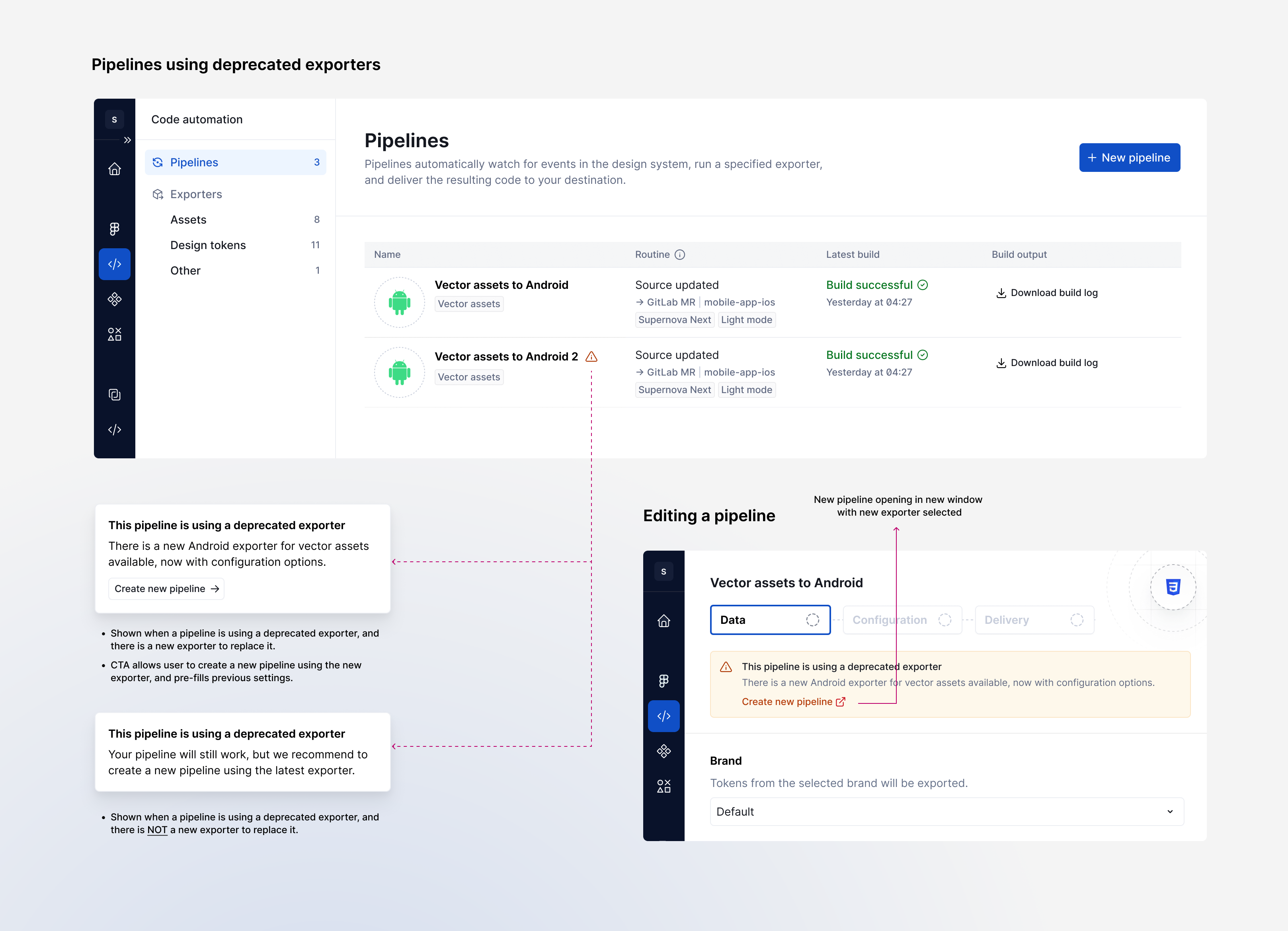
As newer exporters were introduced, I designed the migration experience for legacy exporters. Existing pipelines continued working while new pipelines adopted the improved architecture.
The redesign shifted design-to-code pipelines toward a more approachable product experience.
Users could configure common exports without writing code, preview outputs before exporting, and benefit from improvements to shared exporters instead of maintaining custom forks.
This configuration model created a scalable foundation for future exporters through reusable interaction patterns.